Learning To Touch Type - Part 4
About 5 months in to this annoying but fun little journey.
I finally unlocked all the letters in keybr practice mode back in January. However, things took a turn after that milestone!
Stats
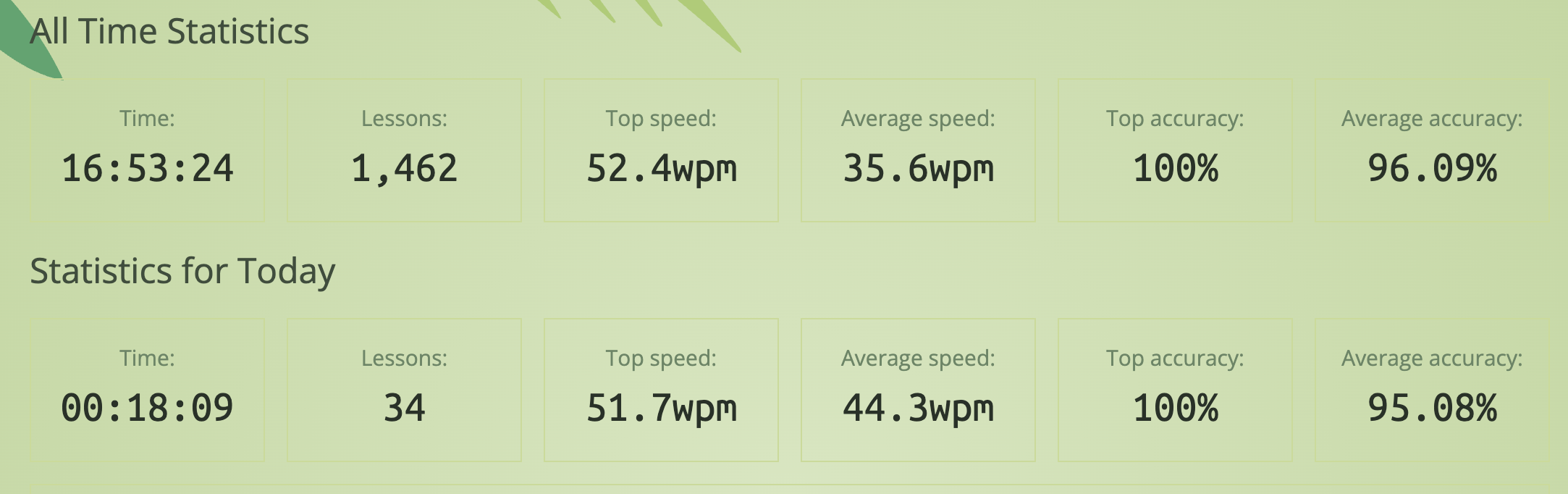
Learning
Ouchies
I will rate the physical and mental pain of each step so far.
| Step | Letters / Notes | Ouchies |
|---|---|---|
| 🤐 13 | Zip that problematic song | 😖😖😖️ |
| 🦖 14 | Velociraptor hands | 😖😖😖️ |
| ❌ 15 | X marks the spot | 😖😖😖😖 |
| 🤓 16 | Quite Unintelligent | 😖😖😖😖😖 |
| ⬇️️ 17 | Jlo west ouchies | 😖 |

Where do we go from here?
- I was delighted when I finally cracked all the letters in keybr practice mode.
- That delight unfortunately did not last long, as it is not even half the battle. I may have miscalculated the remaining effort.
- Symbols, numbers, uppercase letters, using layers on the ZSA Voyager. EEEK. A lot to figure out.
- My original plan was to get comfy with all the letters using keybr, then move over to the training section of the ZSA website.
- This was a bad idea, as I still cannot type properly yet. Lowercase letters, I can do, everything else, not yet.
- I was hoping there would be a way to introduce symbols one by one, but I have not been able to make that work on keybr.com
- So I spent a few weeks in a frustrating kind of limbo. But I think I have path forward.
Touch Type Plan 2.0
- Something you can do in keybr.com is to slowly introduce uppercase letters and punctuation marks.
- I tried initially at like 30% but this was too hard, so I have reduced it to 10% for now. So 10% rate of characters will be uppercase, 10% punctuation.
- This has finally lead to an increase in speed and accuracy again.
- I will slowly increase these rates once I feel confident
- I am switching between keybr and the ZSA training. The more confident I get with keybr, the more I will introduce different ZSA lessons.
- Trying to write code is not on the horizon yet, I need to get way better with symbols and finding where they are located in Voyager layers.
Stats at week 20
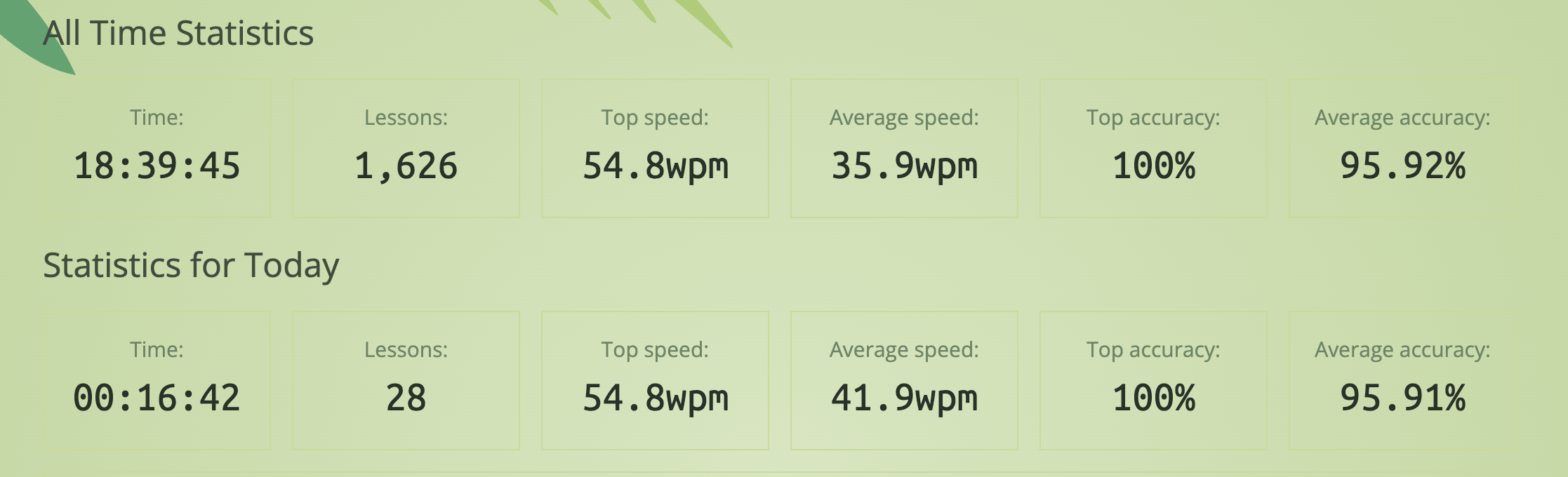
Limbo and trying too much at once brought down the accuracy and speed but hopefully on an upward trend again now.
Voyager Keyboard layout
One thing that became clear when I tried typing with numbers and symbols is that I absolutely don't want to use the number row. Nein danke.
Being so familiar now with the regular qwerty letters in the columnar layout, it seems like a lot of effort to reach outside the comfort zone. So I am looking forward to playing with different layers and layouts, maybe a 34-key system. But a lot to do before then.
Typing on a regular keyboard is still fine, so I am happy to keep patiently plodding along to the next stages.
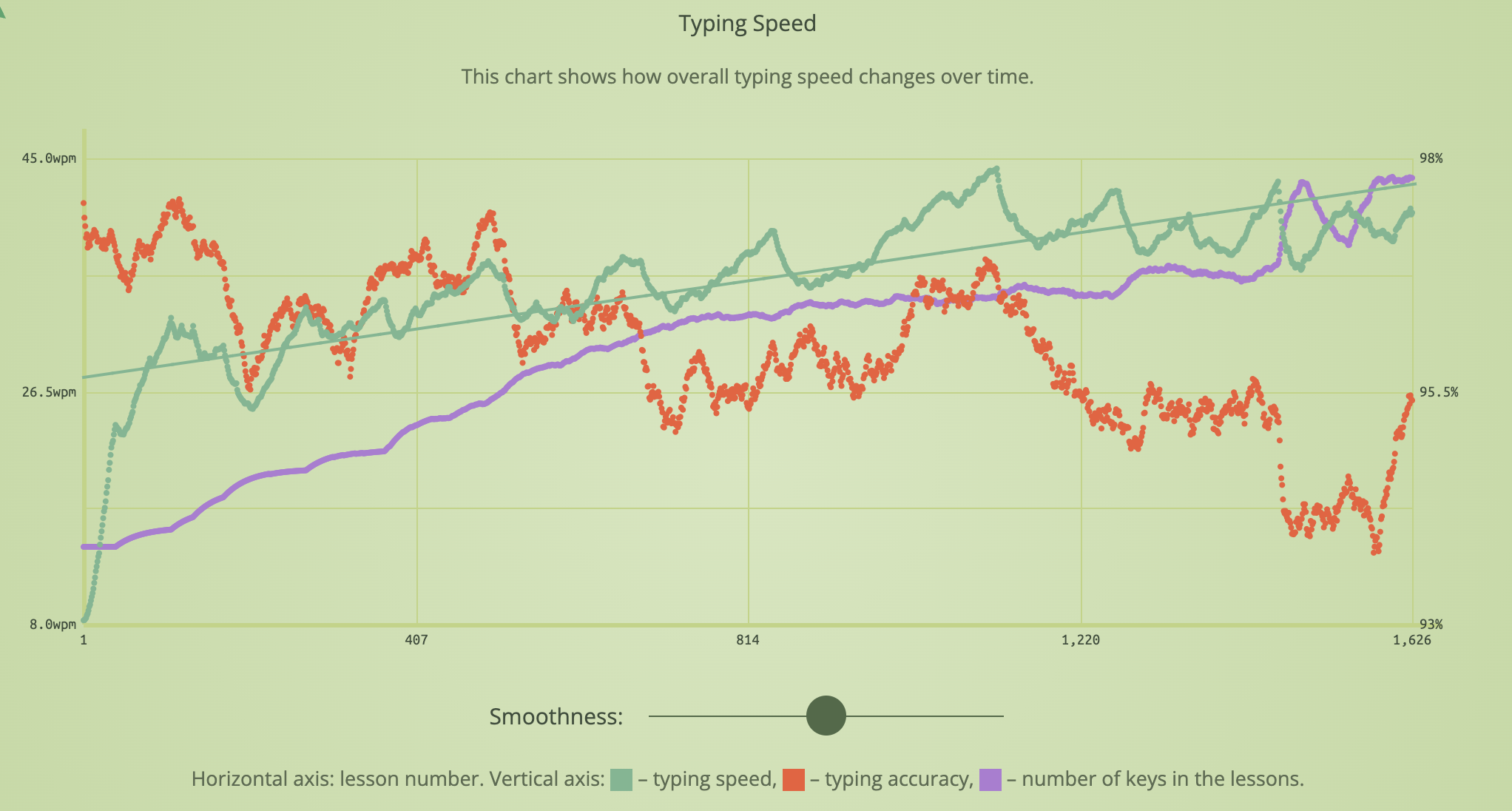
I am not too bothered about improving my typing speed, around 50 wpm is already pretty great for me, faster than I am on a regular keyboard. But I hope now with my new plan I will keep increasing the accuracy and comfortably learn new keys.
Onwards and sideways
Until next time!
Part of the Learning To Touch Type series:
- Learning To Touch Type - Part 1
- Learning To Touch Type - Part 2
- Learning To Touch Type - Part 3
- Learning To Touch Type - Part 4 (Current)
- ← Previous
Add a Message of the day to your terminal